Staff Portal
Everything your staff need, in one portal.
Staff see and manage their own schedule, take attendance, write notes, and clock in — all from one portal and a native app. You decide how much each staff member can do, from view-only to full self-serve.
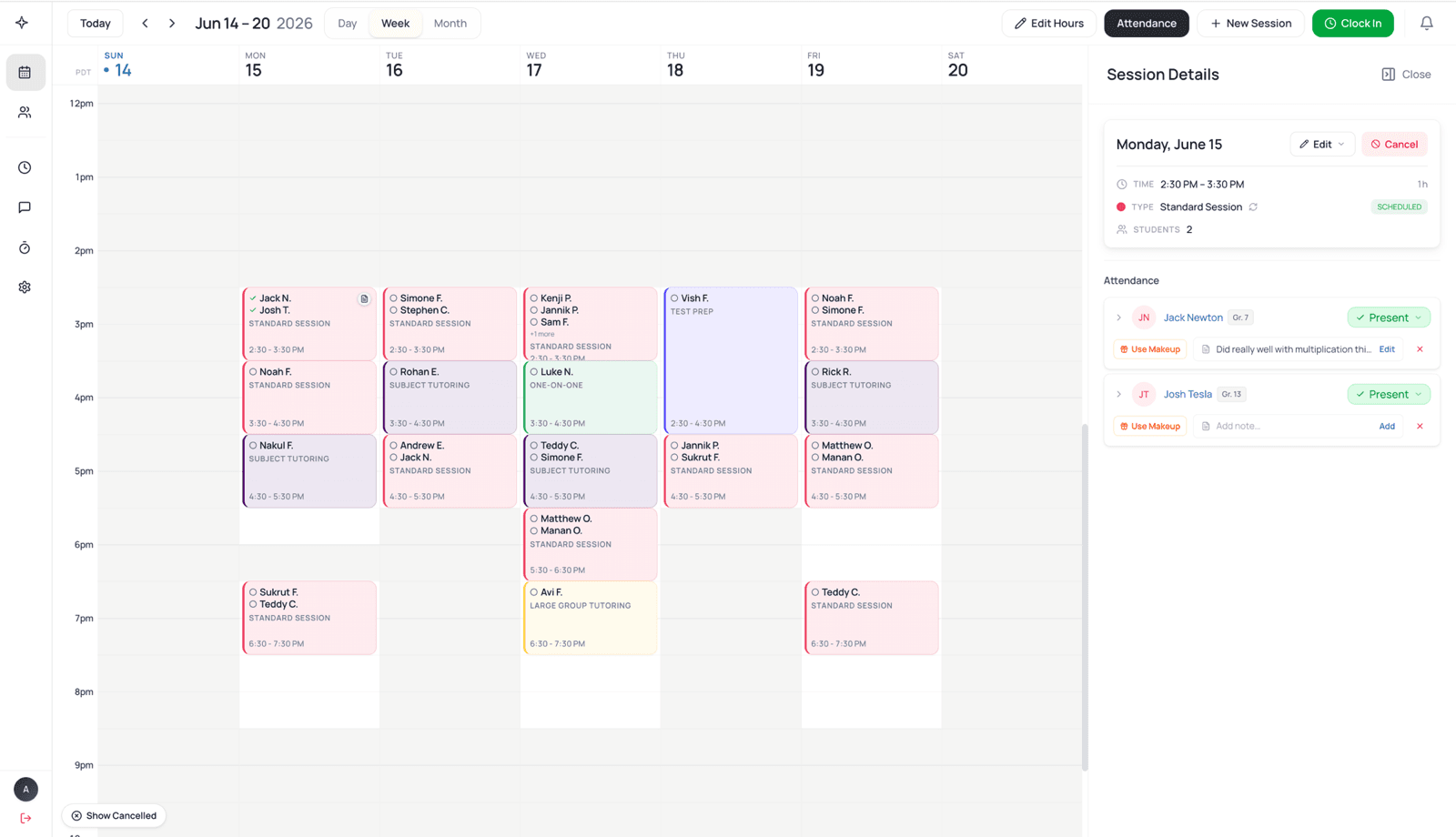
Staff view and manage their schedule
Each staff member opens the portal to their own week — students, rooms, and sessions — and clocks in, takes attendance, and reschedules right from it, as much as you allow.
After every session
Attendance and notes, right after class
- Mark each student present, late, or absent — it flows to billing and the parent's app instantly.
- Keep private notes for your team that carry forward to the next session.
- Send a progress report to the parent in a tap, with worksheets or photos attached.
Built into their day
The everyday tools that keep staff self-sufficient and your back office quiet.
Clock in, clock out
One tap starts and ends a shift, and it becomes a weekly timesheet, ready for your payroll provider.
Calendar sync
Sessions show up on each staff member's Google, Apple, or Outlook calendar automatically.
Your brand, your rules
The app carries your name and logo, and you set how much access each staff member gets.
attendance sheets to chase
tap to clock in or mark attendance
export, ready for your payroll provider
Staff permissions are configurable per center — from view-only to fully self-serve.
Availability & time off
Availability that stays current
- Staff set their working hours and request time off from their portal; approving updates the calendar and flags every affected session.
- Two-way Google Calendar sync means a staff member's personal events block their slots before you book over them.
- Their availability flows straight into scheduling, so the calendar is always accurate.
Mobile app
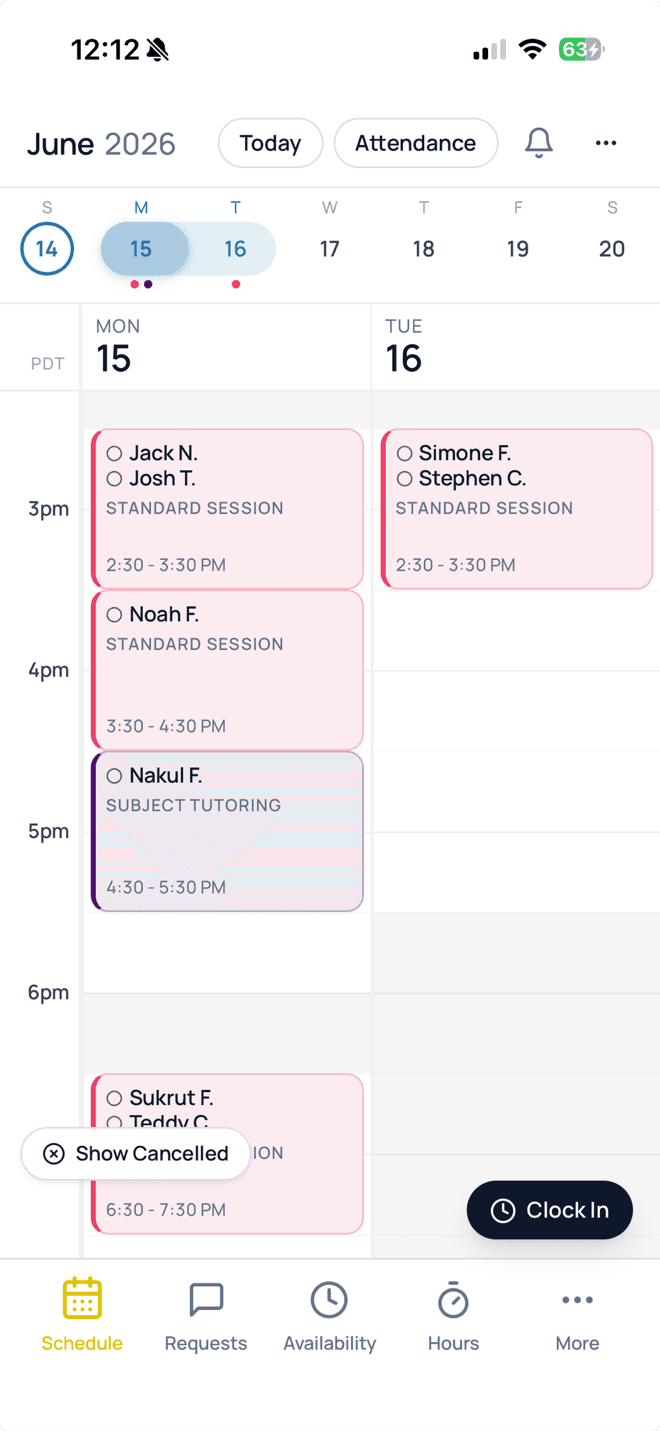
Your whole center, in your pocket
Admins, tutors, and parents each get the LogPose app on iPhone, iPad and Android — the same schedule, the same updates, wherever they are.
- Sign in once — no logging in every visit
- Push reminders for every session
- Face ID, Touch ID & fingerprint sign-in
Staff portal questions
You decide. Permissions are per staff member: keep it view-only, or let a staff member reschedule and cancel their own sessions, edit their working hours, and update student info. Billing and family financial data stay private unless you grant access.
Staff mark each student present, late, or absent right after the session. It flows straight to billing and to the parent's app, so no-shows and make-ups are handled without you re-keying anything.
Staff clock in and out with one tap. Those entries become a weekly timesheet, overlapping shifts are flagged before you export, and you send the CSV or Excel file to your payroll provider — LogPose prepares the hours, your provider runs payroll.
Two kinds: private notes that stay with your team and carry forward to the next session, and progress reports a staff member can send to the parent in a tap, with files attached. You choose whether notes are required.
Yes. Sessions appear on a staff member's connected Google Calendar, and their personal events block availability in LogPose — so a doctor's appointment shows up as unavailable before you try to book over it.
The portal covers today's schedule, attendance and notes, clock-in, availability, and student history. Most staff are comfortable after their first session, and the app carries your center's name and logo so it already feels familiar.
See how LogPose works for your center
Or watch the demo first