Parent Portal
Parents see everything. You answer nothing.
Parents check their child's schedule and reschedule or cancel sessions themselves — within your rules — then see notes, balances, and progress in the same app. The calls and 9pm texts stop.
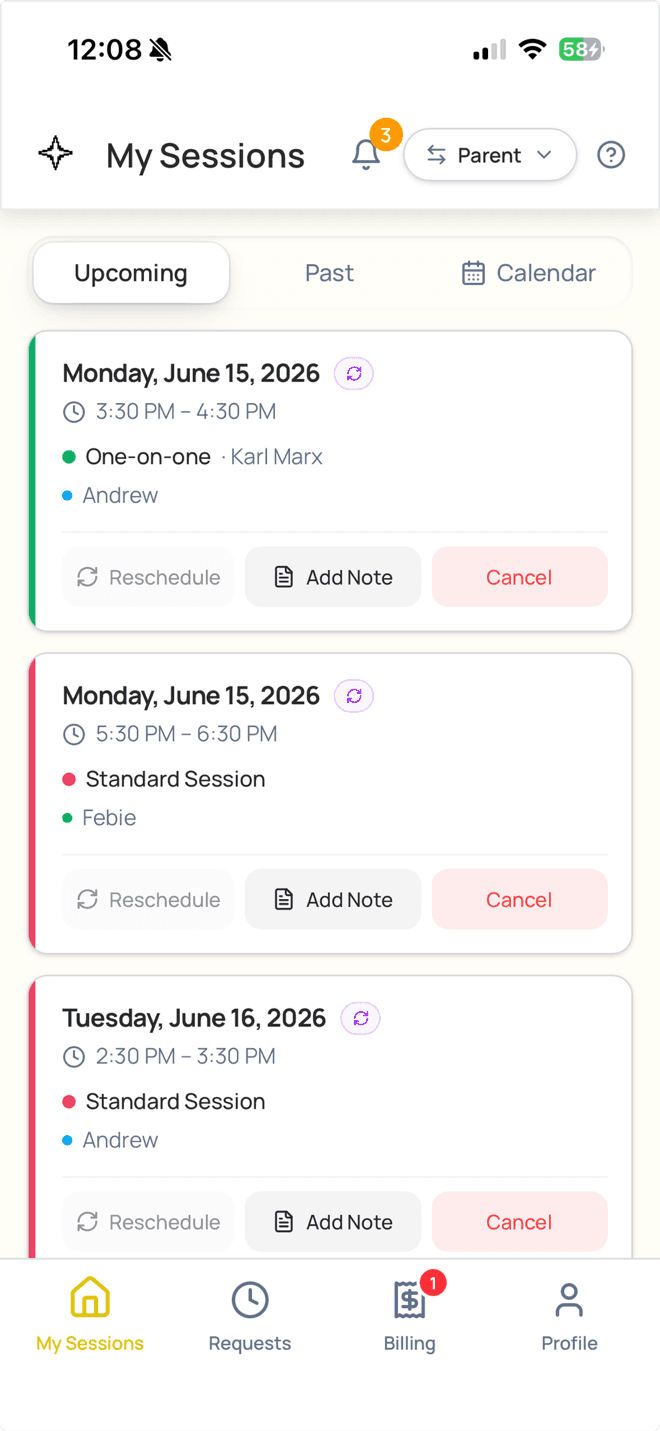
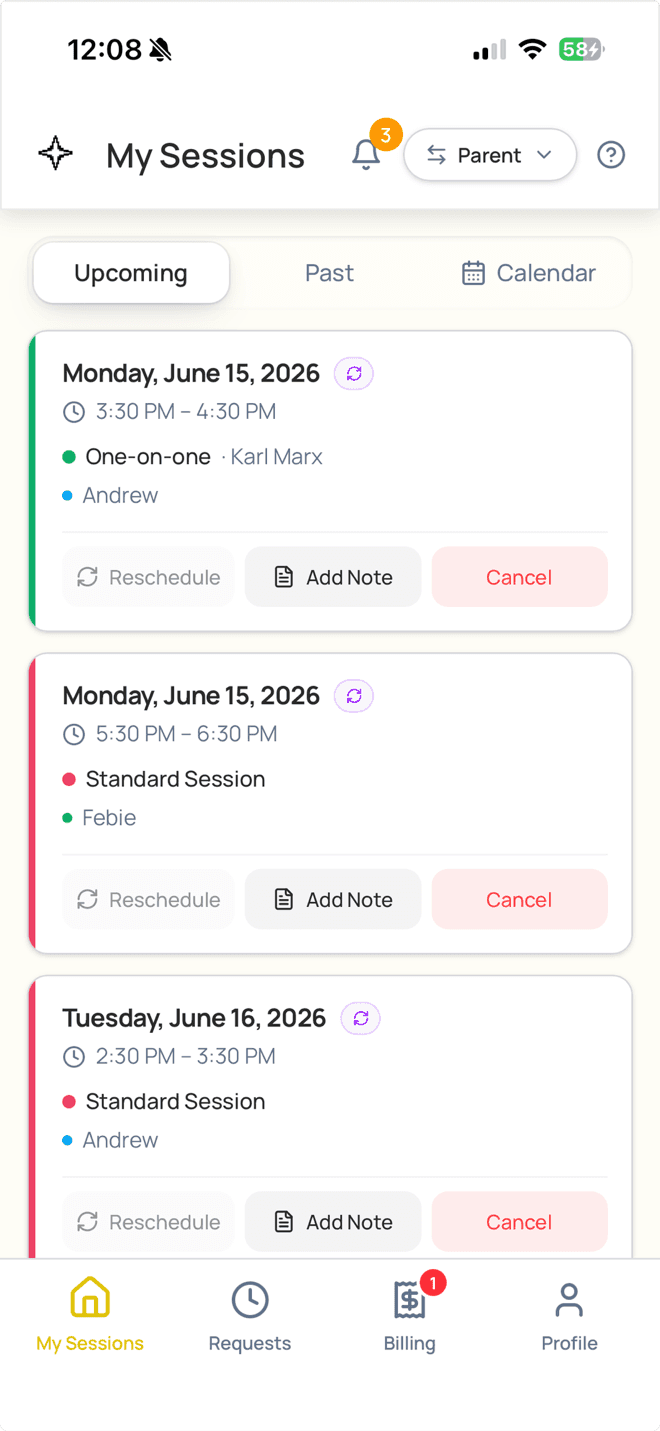
See every session. Reschedule or cancel in a tap.
Parents pull up their child's full schedule and reschedule or cancel themselves — within the windows and limits you set. LogPose suggests the best open slots, so there's no back-and-forth and no 9pm text to you.
One app
Students' whole tutoring picture, on their phone
- Every upcoming and past session, with attendance — present, late, or absent — and who cancelled.
- Sessions sync to their iPhone, Google, or Outlook calendar automatically.
- Balances, invoices, and payment history, with one tap to pay or buy more sessions.
- Multiple guardians share one family account, each with their own login.
Close to the learning, and always in the loop
The updates parents used to call for arrive on their own.
Staff notes & files
After each session, parents read the tutor's notes and open any worksheets or photos attached.
Progress over time
Assessment scores chart over time so parents see real growth — in centers that run assessments through LogPose.
Always notified
Push, email, and text on every change, plus automatic session reminders. No no-show surprises.
9pm texts for you to field
relay calls to answer
app for every guardian in the family
Mobile app
Your whole center, in your pocket
Admins, tutors, and parents each get the LogPose app on iPhone, iPad and Android — the same schedule, the same updates, wherever they are.
- Sign in once — no logging in every visit
- Push reminders for every session
- Face ID, Touch ID & fingerprint sign-in
Parent portal questions
Yes — within the rules you set. You control the notice window and how many reschedules a family gets. LogPose suggests the best open slots, the request lands in your approve-or-deny queue, and credits or make-ups are handled automatically on a cancellation.
Their children's upcoming and past sessions, attendance status, staff session notes, credit balances, invoices, payment history, and any notifications about changes. Everything they'd normally call to ask about.
Yes. When a staff member saves a session note, it's visible to the parent in the app. Staff can also attach files — worksheets, photos, anything worth sharing. You choose whether notes are required.
When your center uses LogPose for student assessments, scores chart automatically over time. Parents see the trend for each subject. This feature is available in centers that run assessments through LogPose.
Yes. Every guardian on the account sees the schedule, notes, and balances. One primary guardian manages booking and payments — a useful split for families with multiple caregivers.
Yes. LogPose is a native app on the App Store and Google Play. Parents install it once and stay connected without logging into a browser every time.
Yes. Parents see your center's logo and colors throughout the app — not "LogPose." It looks and feels like your product, which builds trust with families.
See how LogPose works for your center
Or watch the demo first